MY ACCOUNT AND TECHNICAL ISSUES
App and Technical Support for Homeowners
Created 11/25
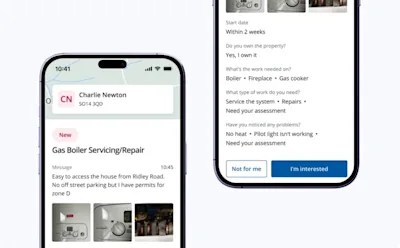
This guide covers everything you need to know about using the Checkatrade app as a homeowner — from logging in, managing communications and fixing common technical issues, to understanding data security and closing your account. If you’re having trouble with notifications, attachments, or the app freezing, you’ll find quick solutions here.

Here's all you need to know about resolving issues with your account or app:
Logging In to the Homeowner App
Download the right app
Checkatrade has separate apps for trades and homeowners.
Be sure you’ve installed the Homeowner app:
iOS: Download link
Android: Download link
Or log in via the web here
Logging in with an Email Verification Code
You don’t need a password — just follow these steps:
Enter your email and tap Continue
Check your inbox for the verification code
Allow a couple of minutes
Check your junk/spam folder
Tap Resend if needed
Enter the code in the app or web window
You’re now logged in.
Managing Your Communications
Unsubscribing from Emails
Job-related emails:
These can’t be turned off — they’re essential for completing your job.
Marketing emails:
Scroll to the bottom of any marketing email and tap Unsubscribe.
Managing Preferences
You can update preferences anytime:
Web: Manage them through the link in the article
App: Go to Profile → Notifications
When the App Freezes
Try these steps:
Turn Wi-Fi off and on again
Log out and log back in
Restart the app
If it keeps happening, email reception@checkatrade.com and include:
Whether you’re using the app or website
Your device (iOS or Android)
What you were doing when the issue happened
Screenshots or screen recordings
💡 You can always manage your jobs via the web at checkatrade.com/account
Technical Issue Warning on the App
First try:
Refresh your Wi-Fi
Log out and back in
Restart the app
Still stuck?
Email reception@checkatrade.com with:
Whether you use the app or website
Your device type
A short description of what happened
Screenshots if possible
Not Receiving Notifications
Make sure push notifications are switched on:
iPhone
Open Settings
Tap Notifications
Select Checkatrade
Turn on Allow Notifications
Android
Open Settings
Tap Notifications → App settings
Find Checkatrade
Ensure notifications are enabled
How to Delete Your Checkatrade Account
On the website
Go to Account
Select Close account
Follow the steps to confirm
On the app
Go to Profile
Tap Account
Select Delete your account and follow the prompts
We’ll guide you through the rest.
How Secure Is Your Data?
Your data, photos and personal information are stored securely and handled with strict privacy measures. We protect your information and only use it for its intended purpose.
Sharing Feedback
We love hearing your suggestions.
Please email any website or app feedback to:
📧 reception@checkatrade.com
Still need support?
* Calls charged at local rate for BT customers, other service providers may charge more.