JOINING CHECKATRADE
Joining Checkatrade
Created 11/25
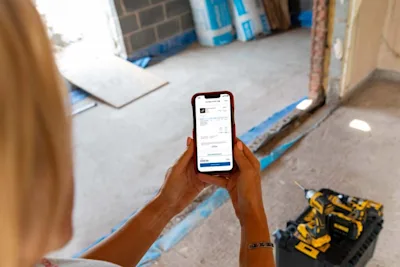
Joining Checkatrade is the first step toward building trust, gaining visibility, and growing your customer base.
This guide explains how to join, how to complete your vetting, updating your Public Liability Insurance, understanding your HMRC and VAT responsibilities and how to make the most of your new membership.
You’ll also learn what happens after you’re approved and how to start getting leads.

Here's all you need to know about joining Checkatrade and getting started:
Just joined and not sure how to start getting leads?
Once you pass vetting, your profile will appear on the Checkatrade website (usually within 24 hours).
To attract more work, upload photos, update your business description, share your reviews link, and add your Public Liability Insurance.
Still completing vetting?
Head to the Applicant Area to upload outstanding documents and complete your ID check via the Mitek SMS link.
Once your paperwork and ID are complete, we’ll finish the checks and email you when your profile goes live.
Need to update your Public Liability Insurance (PLI)?
Open the Checkatrade for Trades App → tap More → Insurance, then follow the prompts to upload your document or confirm renewal.
Having an active PLI helps build trust and boosts your chances of winning jobs.
Unsure what information we share with HMRC?
We must provide HMRC with certain business details each year. You’ll receive a copy of what we share for your records.
Not sure about VAT registration?
If your turnover exceeds £90,000 per year, you must register for VAT.
If it’s below that, registration is optional — but it’s important to monitor your income to avoid crossing the threshold unintentionally.
How to Join Checkatrade
Becoming a Checkatrade member helps you showcase your business, attract customers, and access exclusive member benefits.
To apply:
You can apply online here where you'll be able to find all the information on how to build your reputation and win more work.
Completing Vetting
Before your profile goes live, we carry out checks to make sure your business meets our standards for quality and trust.
If you’re still completing vetting:
Go to the Applicant Area to upload any outstanding documents.
Complete your ID check via the Mitek link sent by SMS.
Once your documents and ID are verified, our team will complete the final checks.
Once everything’s approved:
You’ll receive an email confirming completion, and your profile will be published on Checkatrade.
Starting to Get Leads
Once you’ve passed vetting and your profile is live (usually within 24 hours), you’re ready to start attracting new customers.
A few small updates make a big difference:
Add your Public Liability Insurance
This reassures customers you’re covered and helps your profile appear more trustworthy.
Provide your accreditations and certificates
Especially important for regulated work — these highlight your skills and help you appear for the right jobs.
Share your reviews link
Encourage past customers to leave feedback, even if they didn’t find you through Checkatrade.
Genuine reviews build trust and boost enquiries.
Update your profile and search description
Clearly explain what you do, where you work, and what sets you apart. This helps customers decide quickly if you’re the right fit.
Upload photos of your handiwork
Show before-and-after images of your best jobs, your team, and your branding. Strong visuals can be the reason a customer chooses you over a competitor.
These finishing touches can dramatically improve how often customers contact you.
Updating Your Public Liability Insurance (PLI)
Keeping your Public Liability Insurance up to date is vital for maintaining trust and compliance.
To update or upload your PLI:
Open the Checkatrade for Trades App.
Tap More → Insurance.
Follow the on-screen steps to upload proof of your active policy.
If you’ve already submitted your insurance previously, you can self-certify renewal.
An active PLI policy can also help improve your profile’s visibility and your chances of winning jobs.
HMRC Reporting Requirements
Checkatrade is legally required to report certain information about tradespeople to HMRC each year by 31 January (covering the previous calendar year).
If you meet the relevant criteria, we’ll share the following information with HMRC — and provide you with a copy for your records.
If you are a sole trader:
First and last name
Address
National Insurance number
VAT number (if registered)
Date of birth
Bank account details
Total amount received
Number of paid transactions
Any fees, charges, or taxes withheld
If you are a registered company or partnership:
Legal business name and address
Company Registration Number (CRN) or UTR (for partnerships)
VAT number (if registered)
Bank account details
Total amount received
Number of paid transactions
Any fees, charges, or taxes withheld
This information is used solely for compliance with HMRC’s reporting obligations.
VAT Responsibilities
Am I responsible for VAT on services?
Yes — if you’re VAT-registered, you’re responsible for charging and reporting VAT on all services you provide through Checkatrade.
Do I need to register for VAT?
If your annual turnover is over £90,000, registration is mandatory.
If you earn less, it’s optional — but you should:
Keep track of your income to avoid exceeding the limit.
Understand that Checkatrade also monitors turnover as part of its legal obligations under the Corporate Criminal Offences Act.
Be aware that failing to register once over the threshold may lead to fines.
Still need support?
* Calls charged at local rate for BT customers, other service providers may charge more.