ACCOUNT MANAGEMENT
App and Technical Support for Trades
Created 02/26
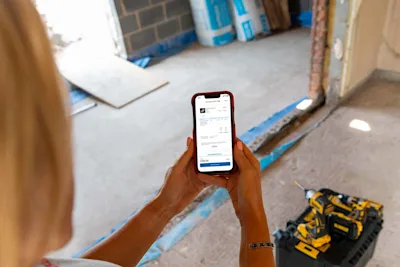
The Checkatrade for Trades app is the easiest way to manage your membership day-to-day. From responding to leads and updating your profile, to checking invoices and sending quotes, the app gives you control to run everything in one place — without needing to contact support.
This guide explains what the app does, how to navigate it, and what you can self-serve throughout your membership.

Here's all you need to know about resolving issues with your account or app:
What is the Checkatrade for Trades App
The Checkatrade for Trades app is your main tool for managing your account, profile, jobs, and payments. Using it regularly helps you:
Respond to leads faster
Keep your profile up to date
Stay visible to homeowners
Manage billing and membership with ease
You can also access the same tools on desktop through the Members Area.
Downloading the App
The app is free to download on both Android and iOS:
Google Play Store
Apple App Store
For the best experience, make sure your phone software is up to date.
If you can’t use the app, you can still log in through the Members Area in your browser.
Logging In
You can sign in securely using either:
An email verification code, or
A password (if you’ve set one)
If you’re having trouble logging in or not receiving emails, visit our dedicated login support article.
Getting Around the App
The app is built to be quick, simple and easy to use. Key areas include:
Home
Your main dashboard with quick tools, alerts, and performance insights.
Jobs
View, accept, or decline leads — all organised by status.
Chat
Message customers, send quotes, share photos, and request payments.
Campaigns
Manage where and what type of work you receive (some options are web-only).
More Menu
Your hub for profile settings, billing, documents, reviews, and membership tools.
What You Can Do Yourself in the App (Self-Serve Features)
Most membership tasks can be done directly in the app or Members Area. Below we detail what you can do within the Checkatrade for Trades App:
Billing & Payments
Update Your Payment Method or Direct Debit
Manage your billing details anytime:
Go to More → My Billing
You can also reinstate a cancelled Direct Debit through the same section.
View Your Invoices
To see your full billing history:
Go to More → Invoices & Payments
You can view or download invoices whenever you need.
Track Customer Payments (Checkatrade Pay)
If you’re set up with Checkatrade Pay, you can view incoming payments here:
Go to More → Customer Payments
Managing Your Account Details
Update Your Contact Information
You can change key details in:
More → My Details
This includes:
Phone number
Email address
Company name
Secure contact settings
Update Your Trading or Admin Address
If your business address changes, you can request an update in:
More → My Details → Addresses
Add or Manage Staff Contacts
If you have employees linked to your account:
Go to More → My Details → My Contacts
You can add or update business contacts anytime.
Improving Your Profile
Your profile is what homeowners see first — keeping it strong helps you win more work. All profile tools are available under:
More → My Profile
Update Your Profile Description
Explain clearly what you do, where you work, and what makes you stand out.
Upload Photos and Albums
Showcase your best work with real job photos:
Add before-and-after shots
Create albums by job type
Upload up to 100 images
Add Your Logo and Cover Photo
Professional branding helps build trust and makes your profile more memorable.
Add Featured Projects
Highlight your best examples of work to help customers choose you confidently.
Update Accreditations and Certificates
Keep documents current to stay visible and compliant:
Go to More → My Accreditations
Upload Public Liability Insurance (PLI)
Keeping your insurance up to date builds customer confidence:
Go to More → Public Liability Insurance
Manage Priced Services
If you offer fixed-price bookings, you can add them here:
More → My Profile → Priced Services
Reviews & Reputation
View and Reply to Reviews
Stay on top of customer feedback in:
More → Reviews
You can read, reply, and report reviews directly in the app.
Member Benefits & Growth Tools
Access Offers and Discounts
Save money on business and everyday essentials:
Go to More → Offers & Discounts
Boost Your Visibility with Sponsored Listings
Paid upgrades are available to help you appear higher in search results:
Go to More → Sponsored Listings
Order Marketing Materials
Get van stickers, flyers, and branded materials through:
More → Marketing Materials
Advertise in the Directory
You can self-enrol for directory advertising here:
More → Advertise in a Directory
Refer Another Trade
Invite other trades to join Checkatrade and earn rewards:
Tap the gift icon on the Home screen
Preferences and Notifications
Manage Push Notifications
Make sure you don’t miss leads or customer messages:
Go to More → Preferences → Push Notifications
Update Privacy and Performance Settings
Control analytics and personalisation options in:
More → Preferences → Performance & Privacy
Sharing Feedback
We love hearing your suggestions.
Please email any website or app feedback to:
Still need support?
* Calls charged at local rate for BT customers, other service providers may charge more.