TRADE
Property details - helping you to quickly accept jobs that are a good fit
Updated 02/25
By: Paige Madtes

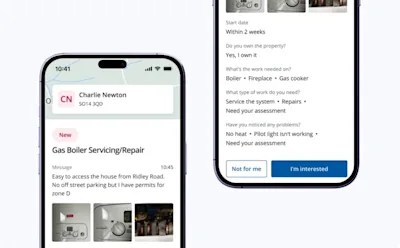
Your 'Jobs' section is evolving. We’re giving you more information about the homeowner’s property and job details so you can make a decision on your job leads.
Get the information you need to assess jobs
Job cards will include more details when they are submitted. Categories that require more information to determine the size, scope and needs of the job, like electrical, roofing, painting, carpentry or heating will be requested from the customer upfront.
Some of these questions are optional, so details in the job card may vary depending on customer submission.
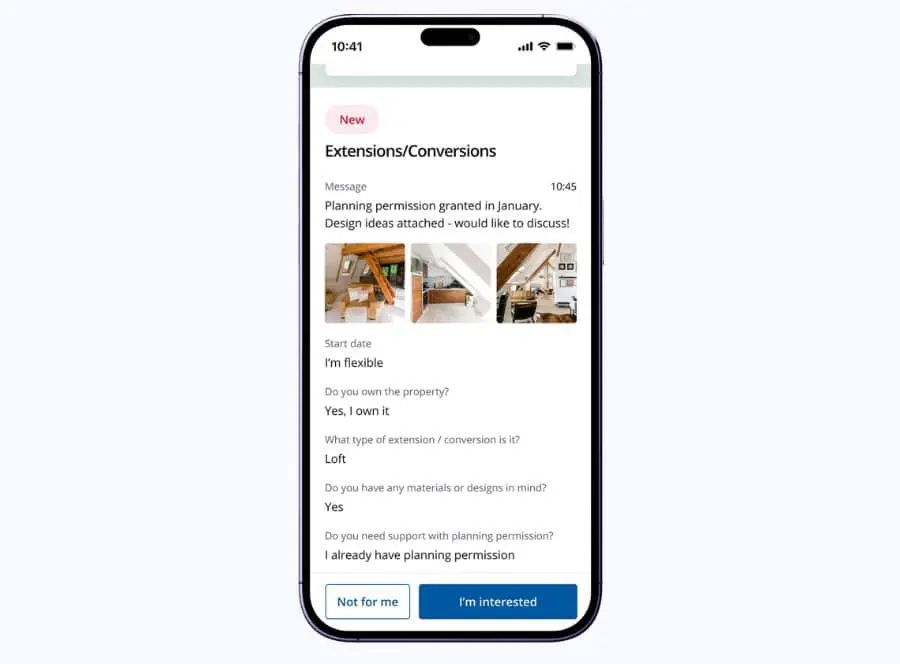
For example, a general plumbing request will ask for details on the type of work, materials and what’s needed to be done. A general building request will ask for details on the type of work, materials, planning permissions, challenges that could impact the work and what’s needed to be done.
Supplementary information about the location, type and size of the homeowner’s property will also be included. For example:
A map of the postcode area
The type of property (e.g. Flat or Terraced House)
The number of bedrooms and bathrooms
The square footage
Whether there is a driveway
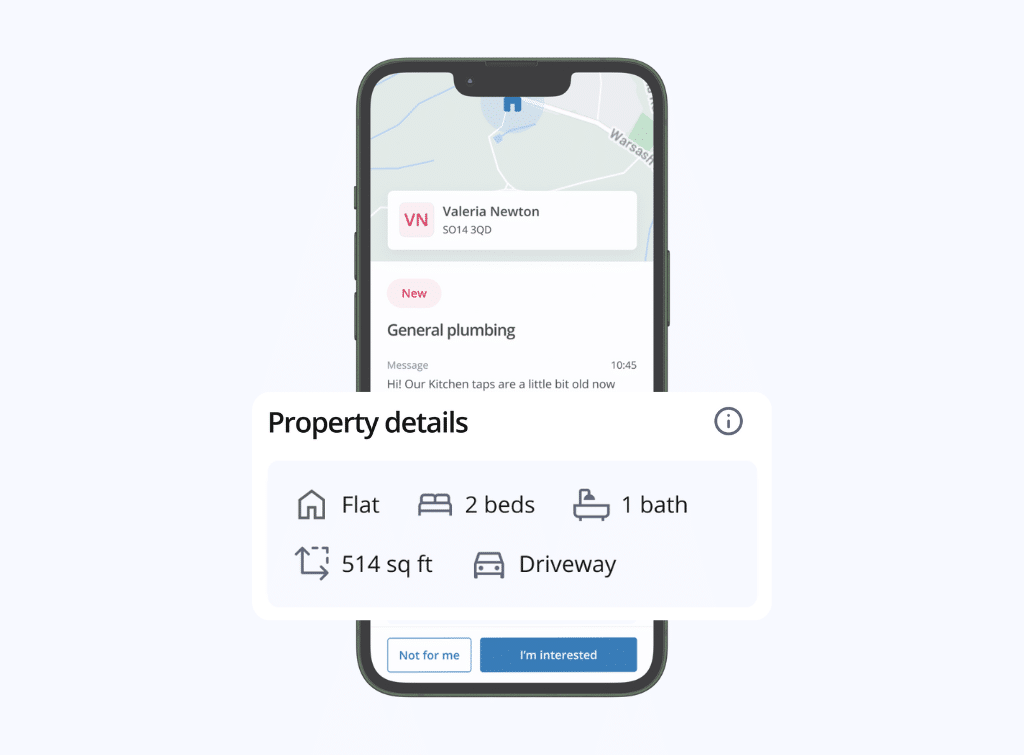
What information will you see on the property?
Where the information is available, the job will include:
Property Location (based on postcode area)
Property Type (Flat, Semi-Detached, Terraced etc...)
Number of Bedrooms
Number of Bathrooms
Property Size (square feet)
Whether there is a driveway
How far away is the job?
With our new job map, you can more easily see where the homeowner’s location and plan your work accordingly.
To give you an idea of how far away the job is, you can get directions to the postcode area using your navigation app of choice. To protect homeowners' data, you will need to request the full address from the homeowner to visit the property.
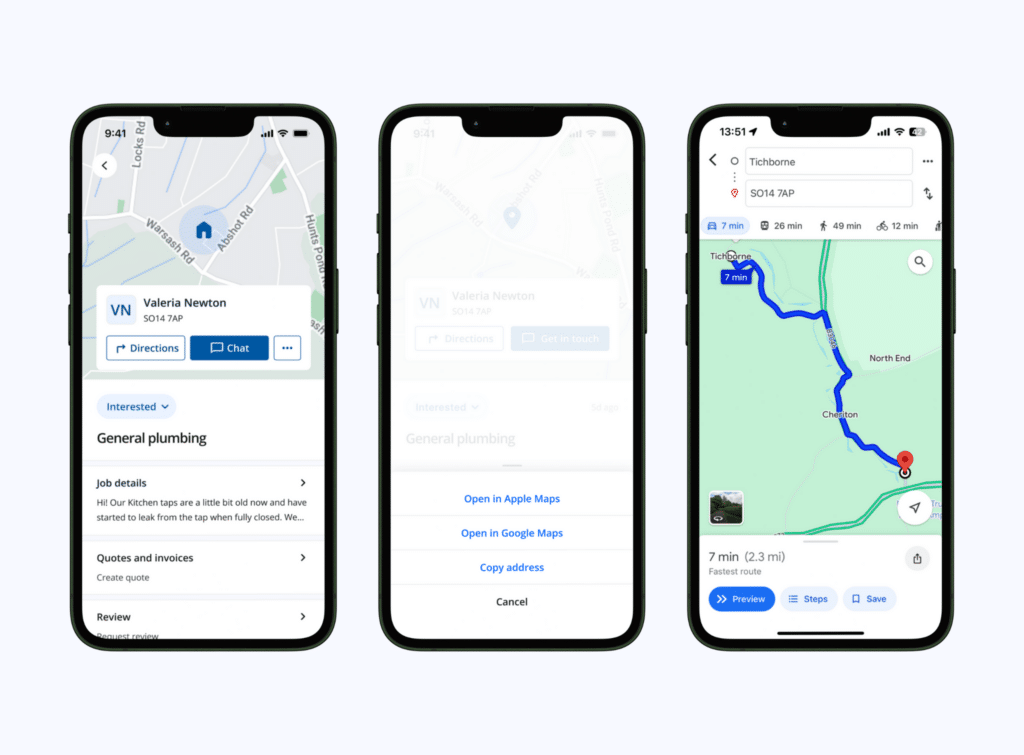
What information will you see on the job?
Depending on the job and if the customer has included the information in their request, details will include:
What the work is needed on
The type of work
If materials are needed
What the emergency or issue is
Material or brand of (boiler, roof)
Planning permissions
If there are challenges that could impact the work
If there are known issues or last date of servicing
If waste removal is needed
FAQs
Where does Checkatrade get this information?
The information we show is publicly available data on homes across the UK. Where it’s not possible to identify a specific piece of data from a source, the data is estimated. The actual property details may vary. Specific job details are provided optionally by the customer in the job submission process.
Why do some jobs not have this additional information?
Additional information is not available for all homes in the UK. Where the information is not available, the map and property information box may not appear. Most of the job details are optional requests from the customer, thus they may choose to not provide all the information up front in the request.
How can I contact the homeowner?
Tap the blue ‘Chat’ button to start a conversation with the homeowner. If you want to call the homeowner, you can use the phone icon in the top-right corner of the chat screen.
Where can I see the address of a homeowner?
Due to data protection, you can only see the homeowner’s postcode through Job Cards. For the full address, please contact the homeowner.

Jack Lewis
Hey 👋 I’m Jack, I work in the Checkatrade product team. My job is to make sure that you, our trade members, get the most out of our platform and the new features we’re launching.